
Guides · Server Owners
Server Owners & Plugin Setup
The open-source ChatCraft plugin (Apache-2.0) gives Minecraft Java server owners a free, language-matched Featured listing in the ChatCraft app, in-app vote links, and a +25% extra delivery bonus on Sponsored server packs — in under five minutes and without creating any web account.
1. Install the plugin
The plugin runs on Spigot and Paper 1.8+ (Java 8+ bytecode, not obfuscated):
- Download the latest
ChatCraft-<version>.jarfrom GitHub Releases. - Drop the jar into your server’s
plugins/folder. - Restart or reload your server so
plugins/ChatCraft/config.ymlis created.
You can inspect the full source code at github.com/MatteCarra/ChatCraftPlugin.
2. Verify your server
Verification confirms you control the server address without asking for an account or API key. Operators hold the chatcraft.admin permission by default.
- Run the verification command in-game as an operator (add your public server address if
addressis not set inconfig.yml):
/chatcraft verify play.example.com:25565- Open the printed link on a phone with ChatCraft installed. The app connects to your server and sends the single-use token (valid for 15 minutes) over the game connection so the plugin can confirm you are the operator who started verification.
- Check your verification and heartbeat status at any time:
/chatcraft statusYour verification credential is stored locally in plugins/ChatCraft/credentials.yml with owner-only file permissions and is never logged.
3. Configure plugins/ChatCraft/config.yml
Edit plugins/ChatCraft/config.yml to control how your server appears in ChatCraft:
# Display name shown in the app's server list.
# When empty, your server.properties MOTD is used.
name: My Survival Server

# Set to false to stay verified while hidden from the Featured list.
listing: true

# Languages your server is listed under (primary subtags, e.g. en, es, pt).
# An empty list means the server is not shown in the Featured list.
languages:
  - en

# Optional public address as players see it (default port 25565).
# When set, /chatcraft verify works without an argument.
address: play.example.com:25565

# Up to 3 https:// vote links shown in the server menu.
# Non-https links are ignored.
vote-links:
  - https://example-votesite.org/server/my-server
Key notes on config.yml
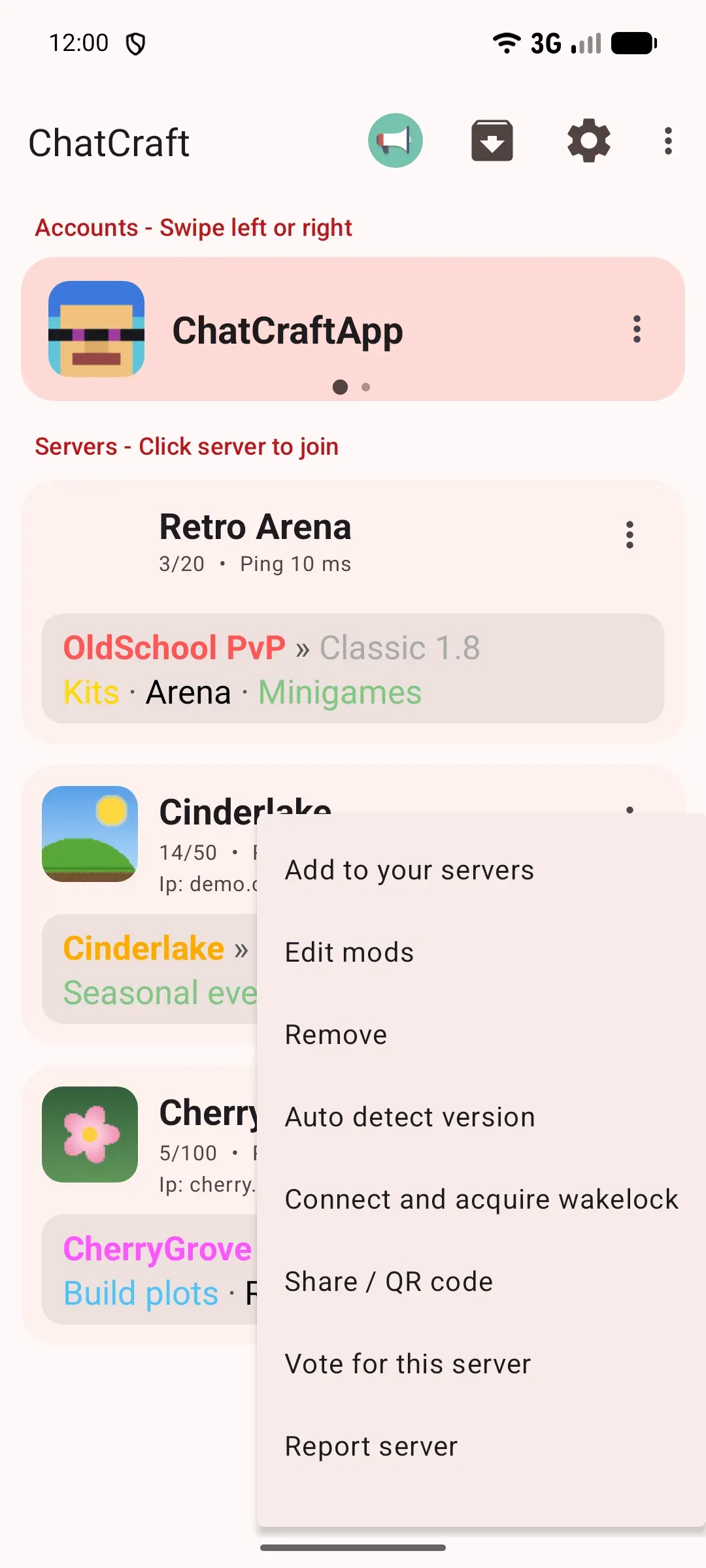
name: Optional display name in the app’s server list; falls back to yourserver.propertiesMOTD if left empty.listing: Defaults totrue. Setlisting: falseif you want to stay verified (keeping vote links and the Sponsored delivery bonus) without appearing in the Featured list.languages: Uses primary language subtags (for examplept-BRbecomespt). Featured servers are matched strictly to players whose app language matches your configured list — an empty list means the server is not listed.address: Optionalhost[:port](default port25565). Setting it lets/chatcraft verifyrun with no extra argument.vote-links: Up to 3https://URLs shown under Server menu > Vote for this server. Non-HTTPS links are ignored.
4. What the plugin sends (and never sends)
Once an hour (and on startup / verification), the plugin sends a single lightweight HTTPS heartbeat off the main server thread containing only:
- Configured server
name,languages,listingflag, andvote-links - Server online mode (
premiumflag), Minecraft game version, and plugin version - During initial verification only: the server address and the operator’s player UUID
The plugin never sends player names, player counts, or chat. A Featured server without a heartbeat for 1 day is automatically paused until the server comes back online.
5. Sponsored server packs & +25% bonus
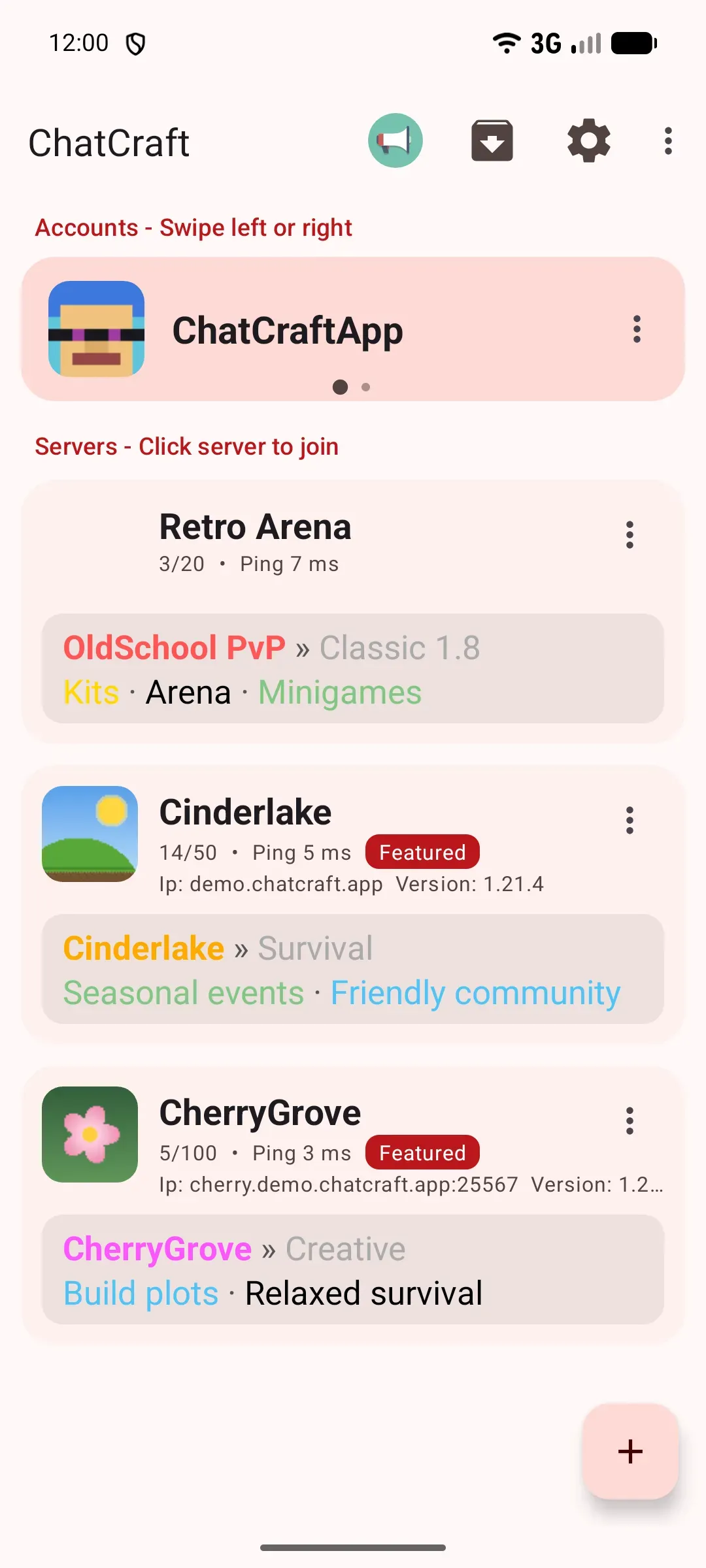
Featured servers appear for free after Sponsored placements and the player’s own saved servers. If you also want top home-screen placement, you can purchase a Sponsored server pack inside the ChatCraft app (5,000 or 20,000 views; 50 or 250 clicks).
- Every Sponsored submission is reviewed and approved by the developer, and you can request a refund while your listing is pending review.
- Verified servers running the ChatCraft plugin automatically receive +25% extra views or clicks on every Sponsored pack — no coupon codes needed.
See the Server Owners overview for screenshots, walkthrough video, and owner FAQ.